Share a verse, your wayއާޔަތެއް ޝެއަރކުރޭ، އަމިއްލަ ޕޯސްޓަރަކާއެކު
Two short guides for the phone app: make a poster, or a video with the reciter's voice.ޤުރުއާން ޕޯސްޓަރު އަދި ޤުރުއާން ވީޑިއޯ (ރީލް) ހަދާނެ ގޮތް
Make a posterޕޯސްޓަރެއް ހެދުން
Turn any verse into a picture to share. About a minute.ކޮންމެ އާޔަތަކަށްވެސް އަމިއްލަ ޕޯސްޓަރެއް - މިނެޓެއްތެރޭ
- 1
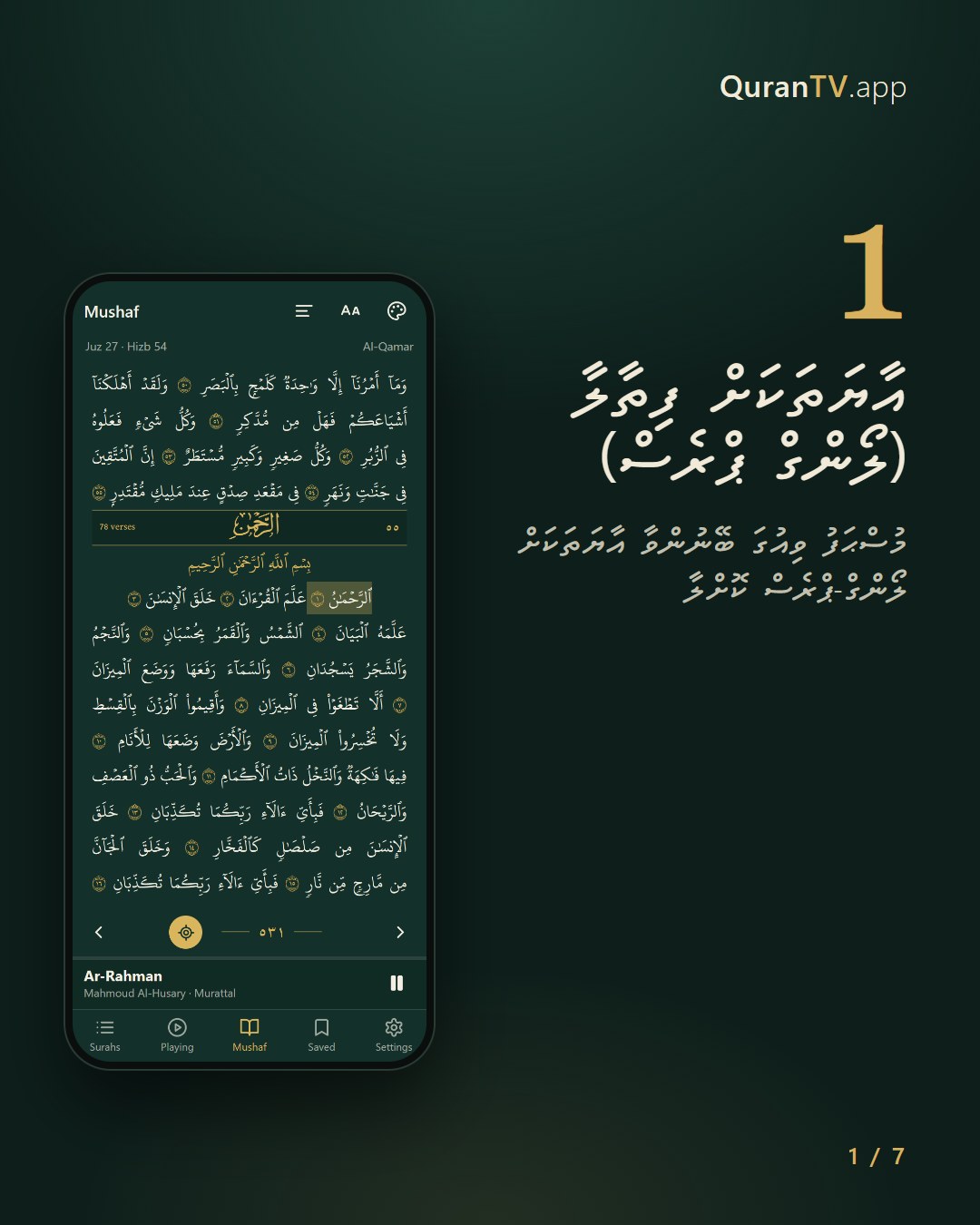
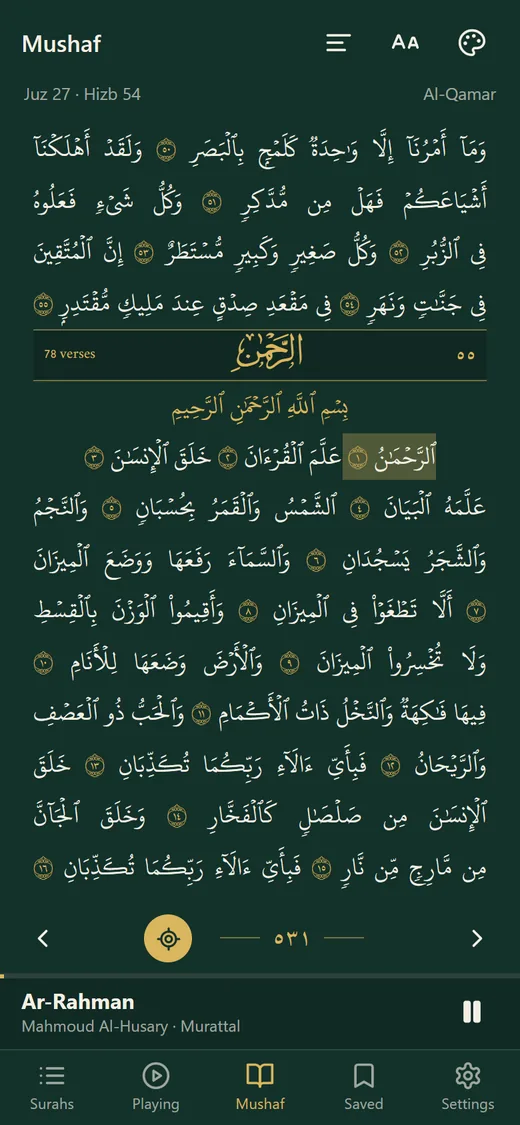
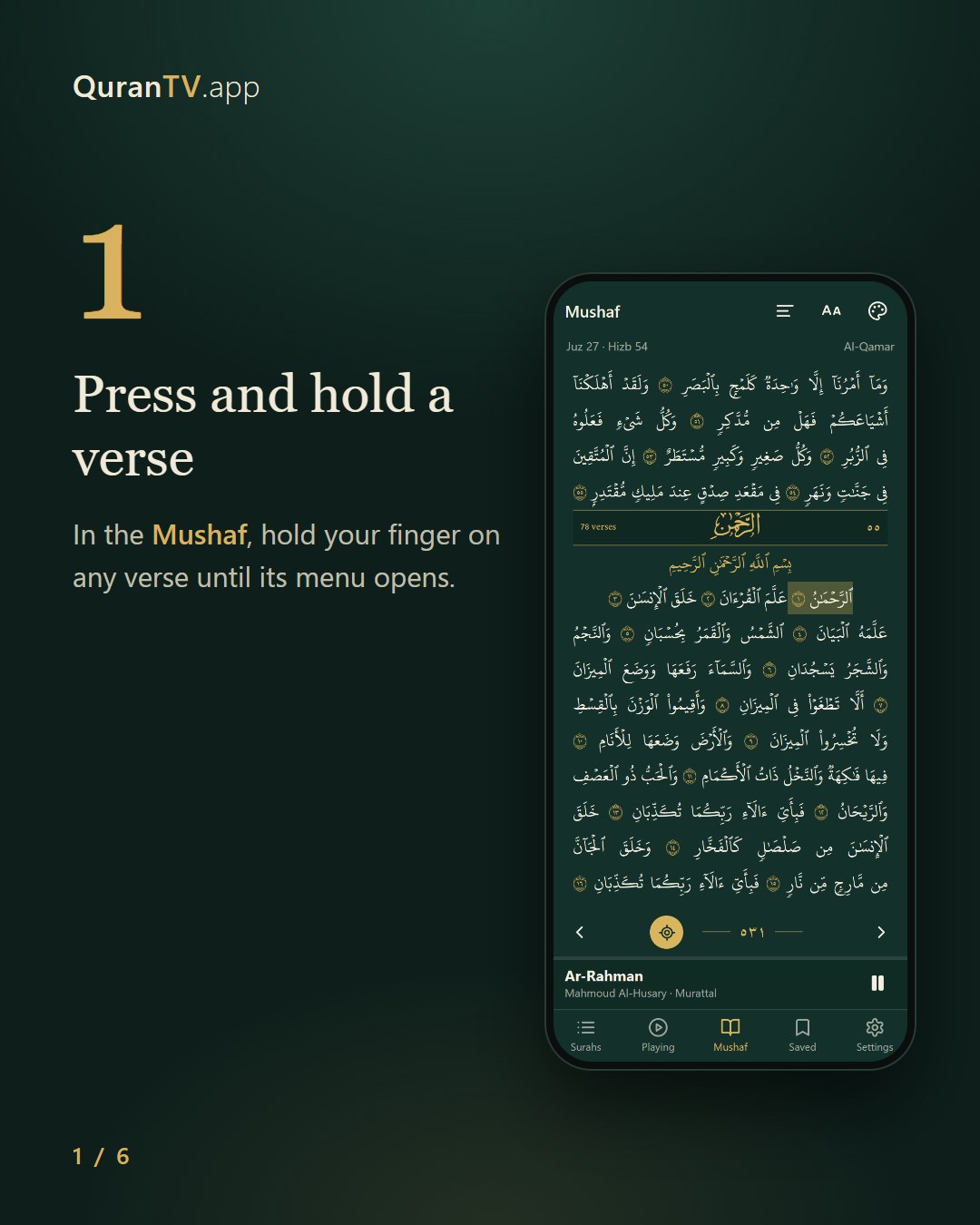
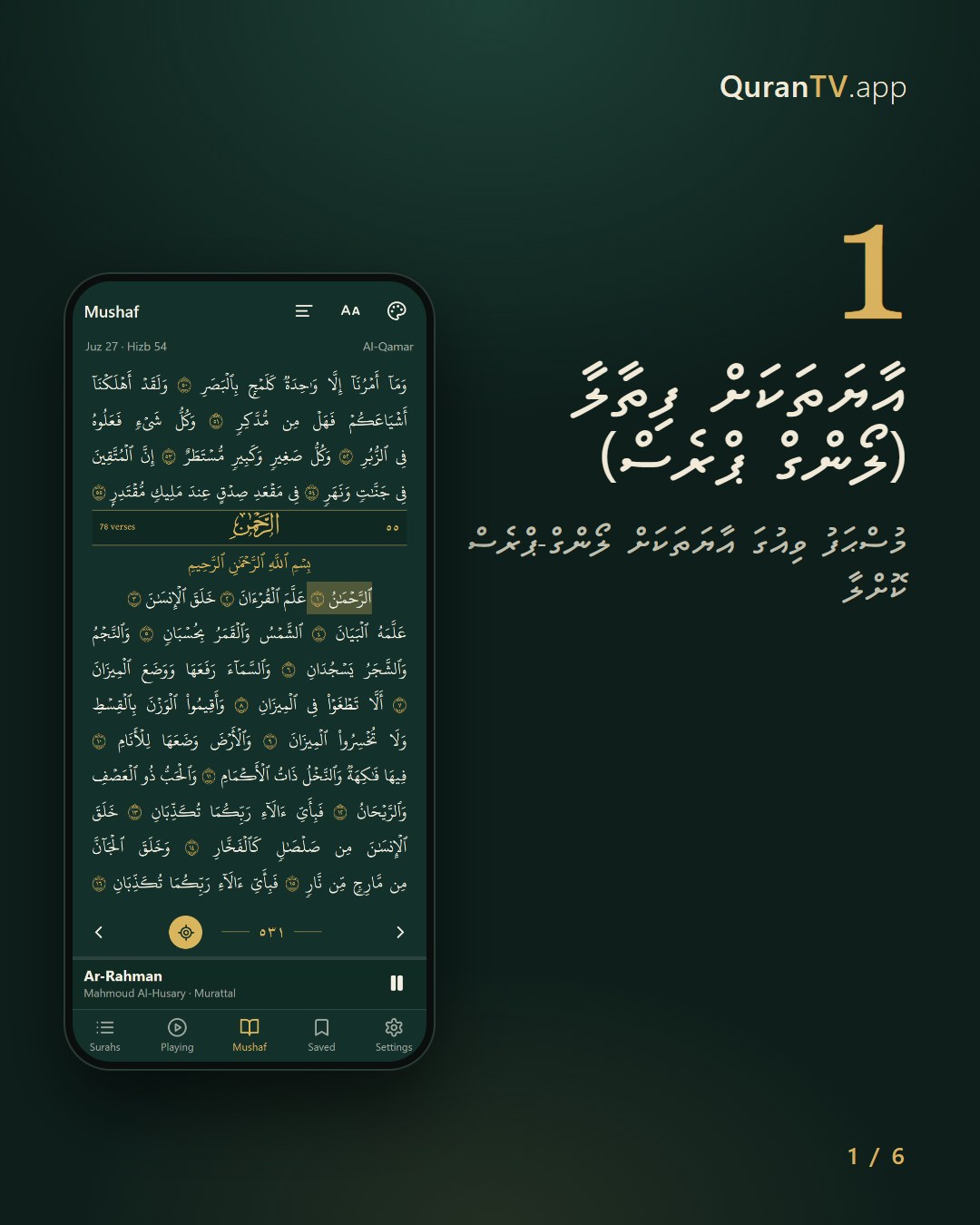
Press and hold a verseއާޔަތަކަށް ފިތާލާ (ލޯންގް ޕްރެސް)
In the Mushaf, hold your finger on any verse until its menu opens.މުސްޙަފު ވިއުގަ އާޔަތަކަށް ލޯންގް-ޕްރެސް ކޮށްލާ
- 2
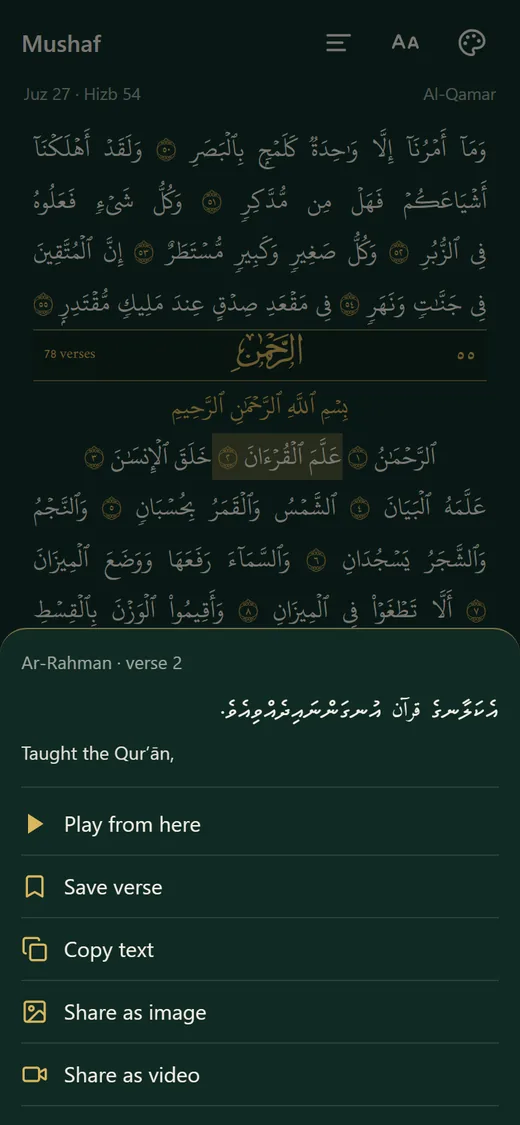
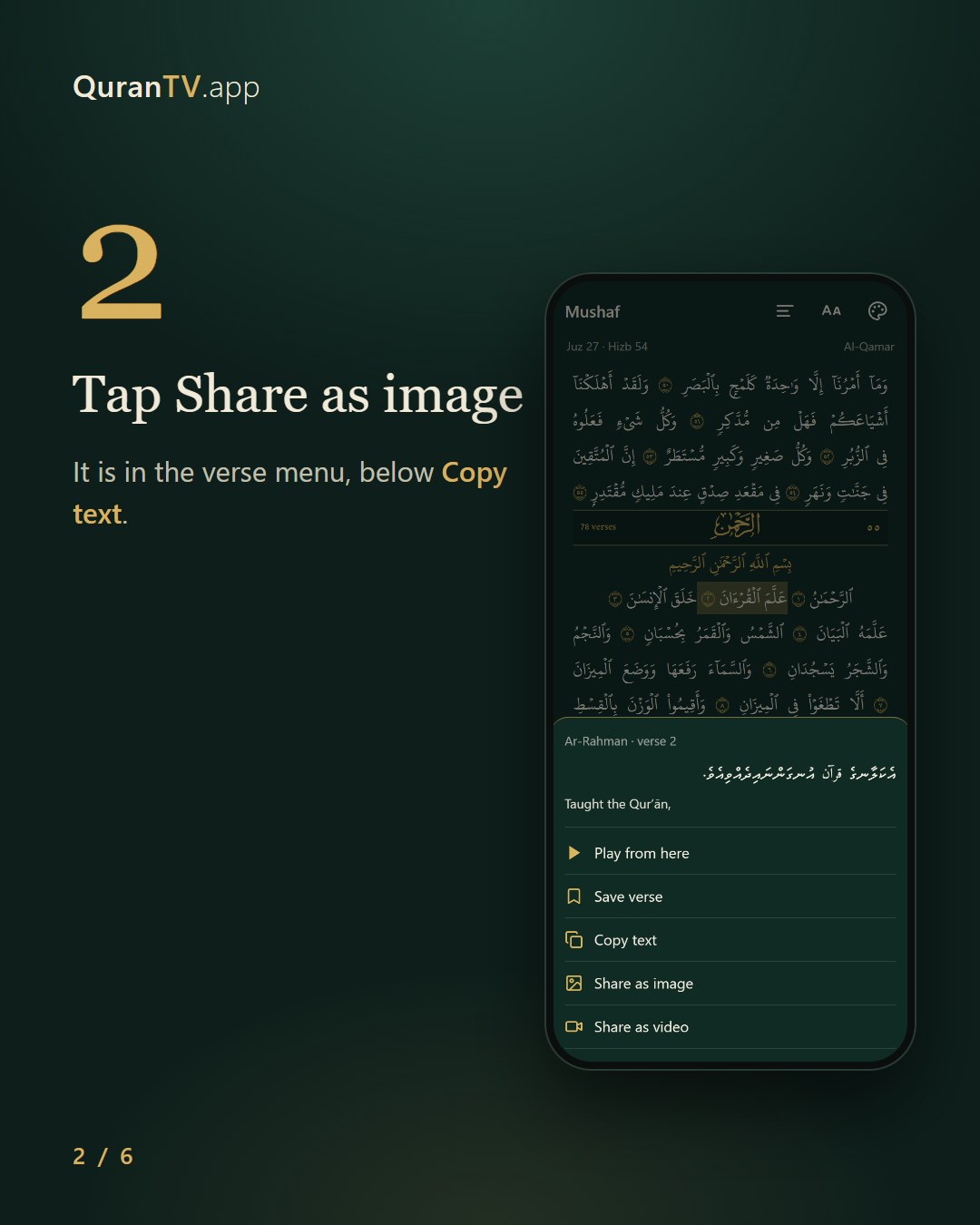
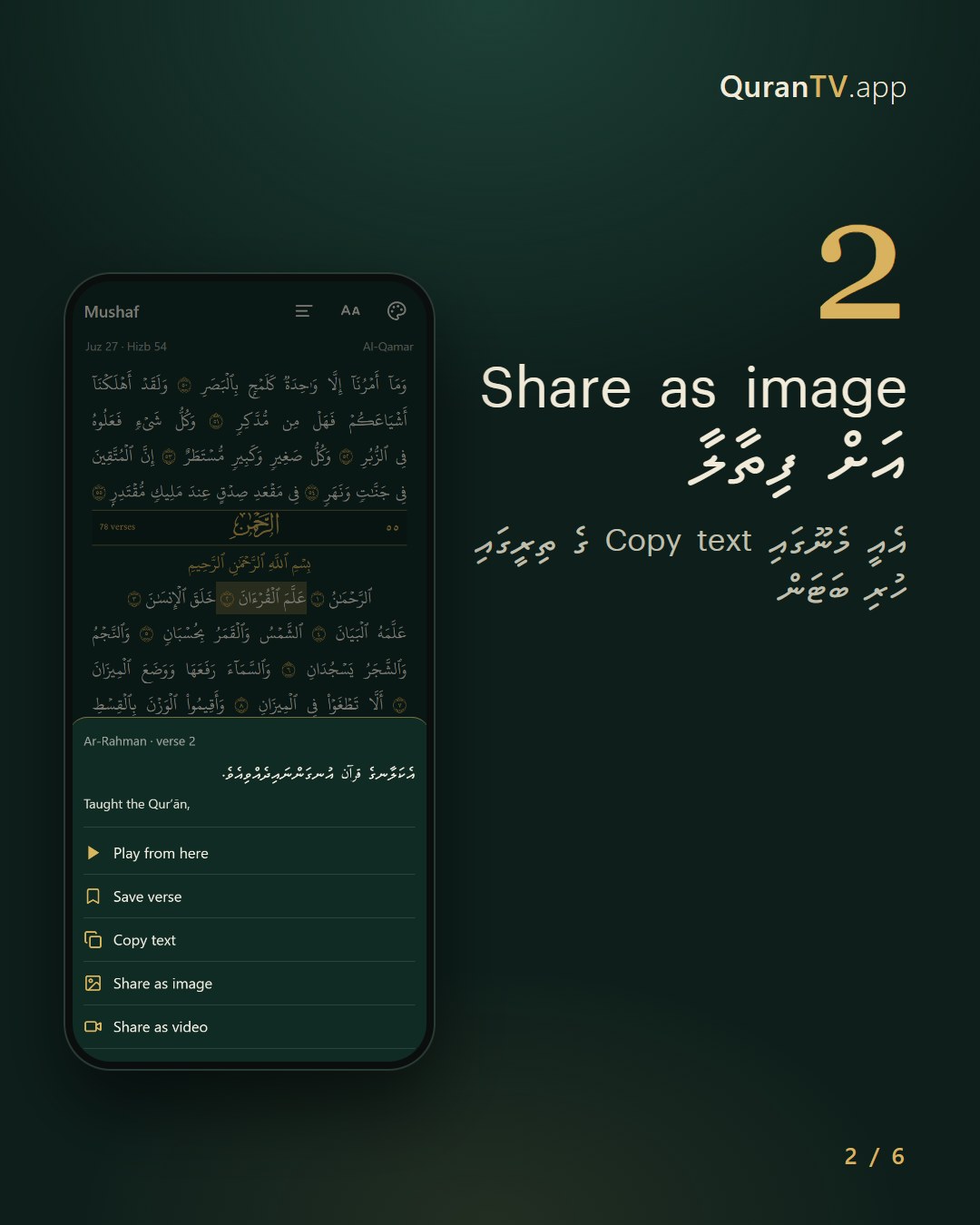
Tap Share as imageShare as image އަށް ފިތާލާ
It is in the verse menu, below Copy text.އެއީ މެނޫގައި Copy text ގެ ތިރީގައި ހުރި ބަޓަން
- 3
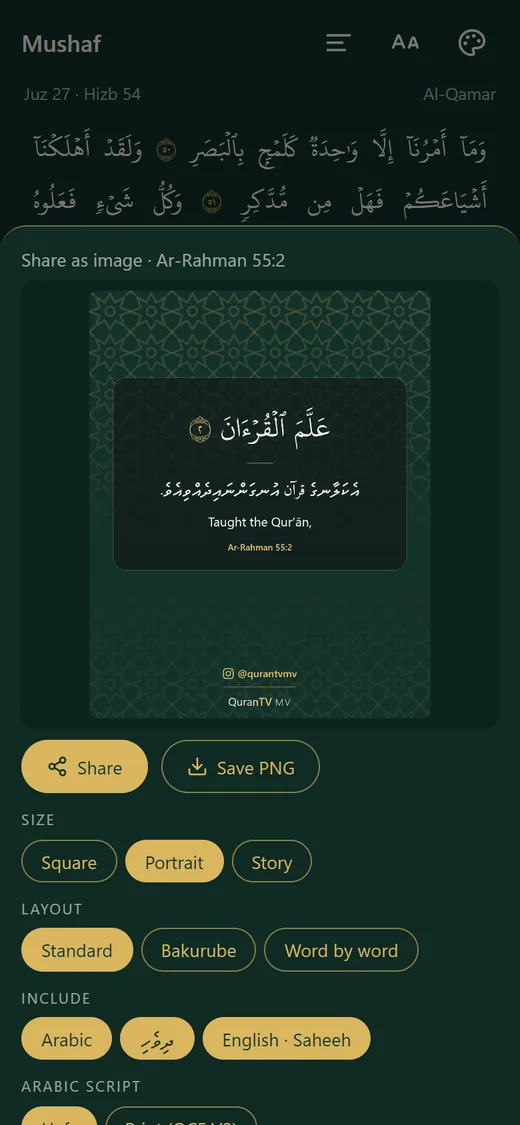
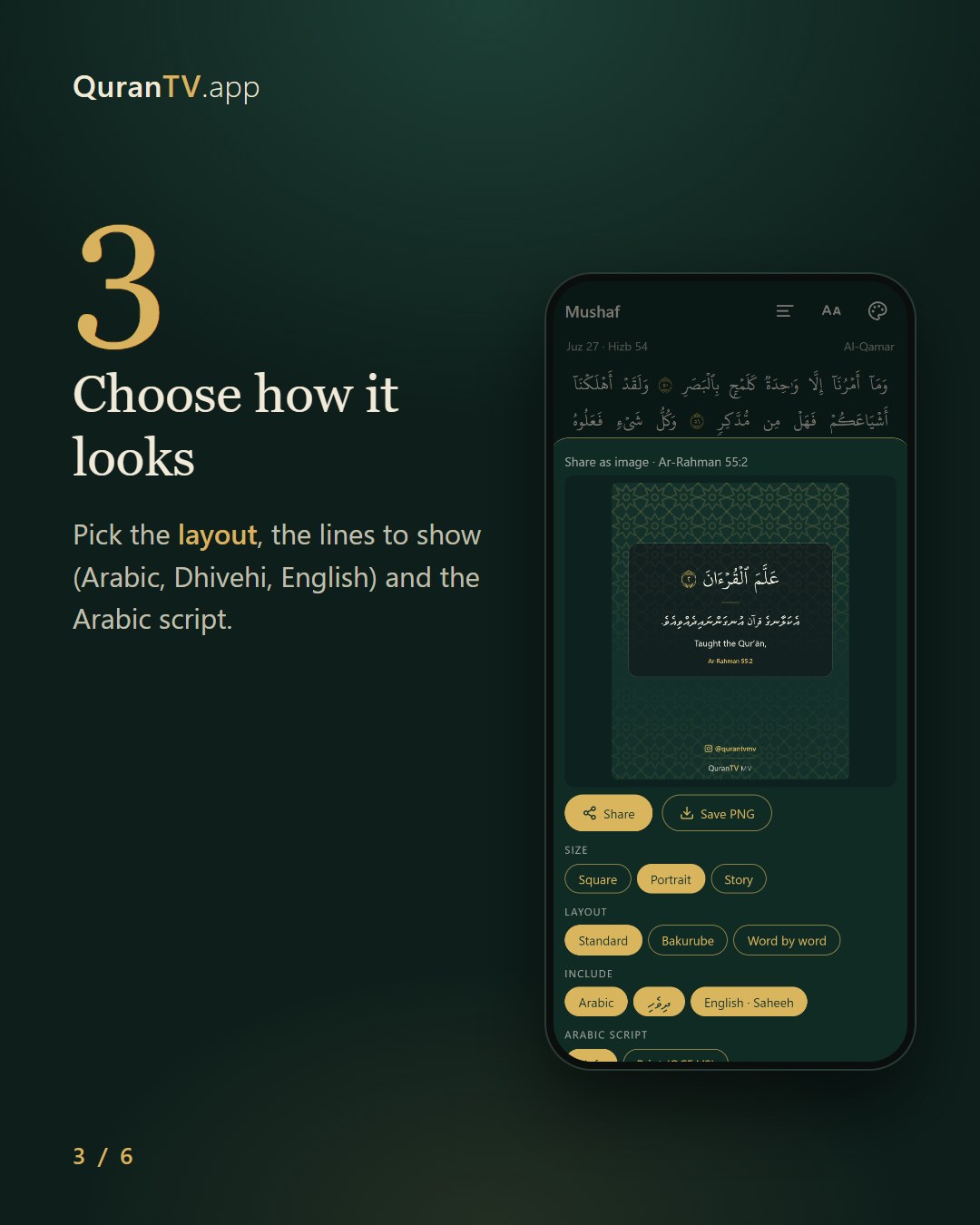
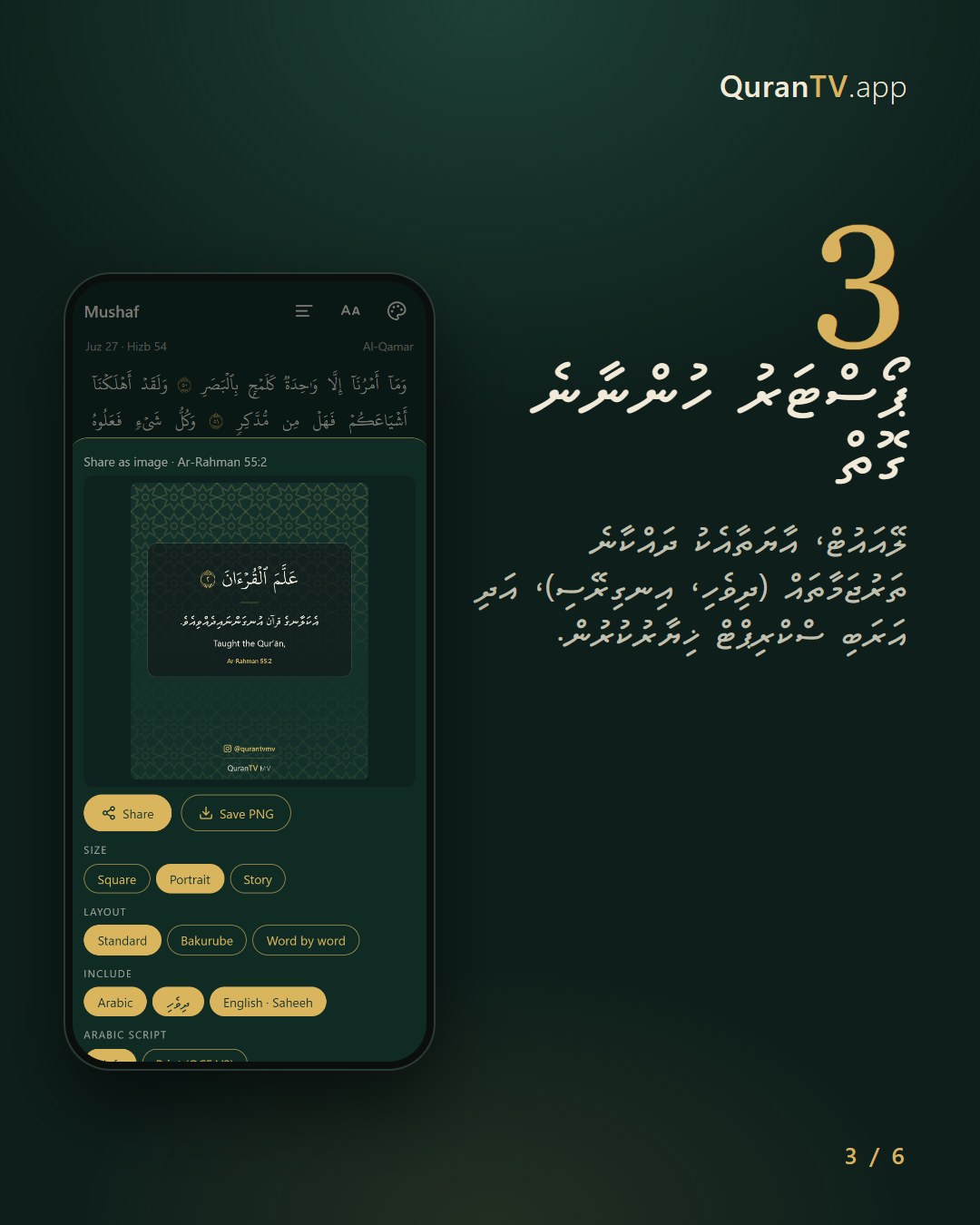
Choose how it looksޕޯސްޓަރު ހުންނާނެ ގޮތް
Pick the layout, the lines to show (Arabic, Dhivehi, English) and the Arabic script.ލޭއައުޓް، އާޔަތާއެކު ދައްކާނެ ތަރުޖަމާތައް (ދިވެހި، އިނގިރޭސި)، އަދި އަރަބި ސްކްރިޕްޓް ޚިޔާރުކުރުން.
- 4
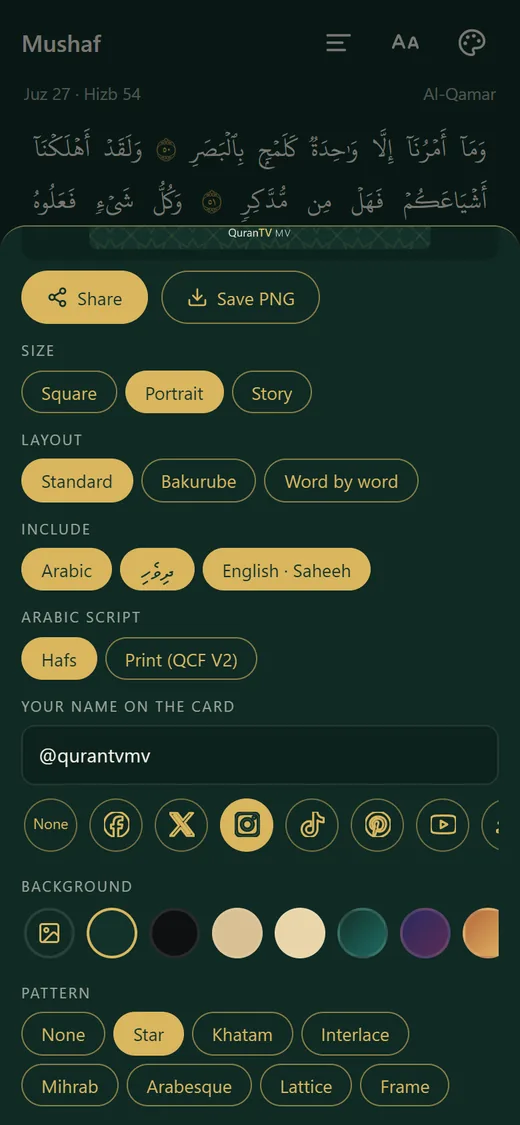
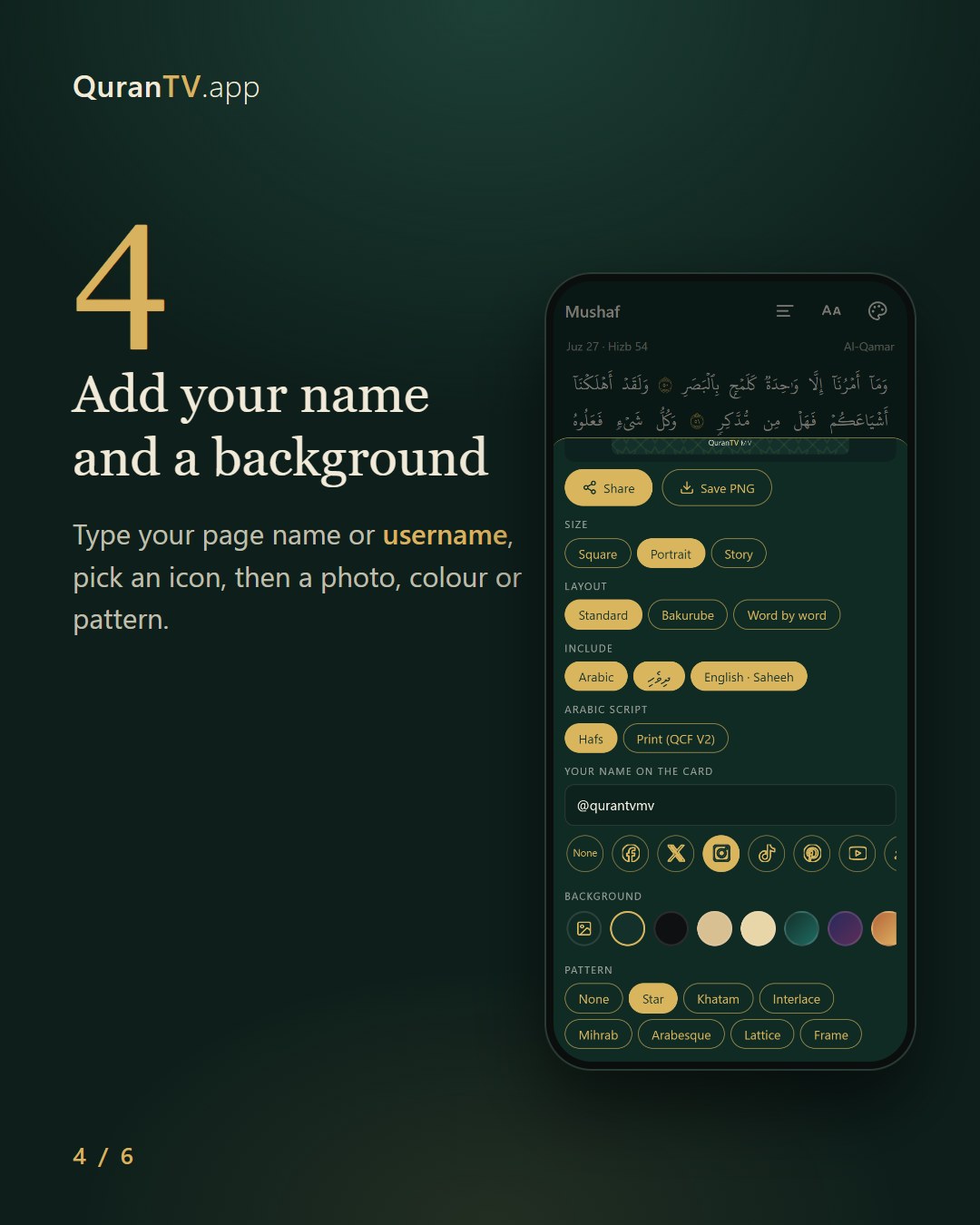
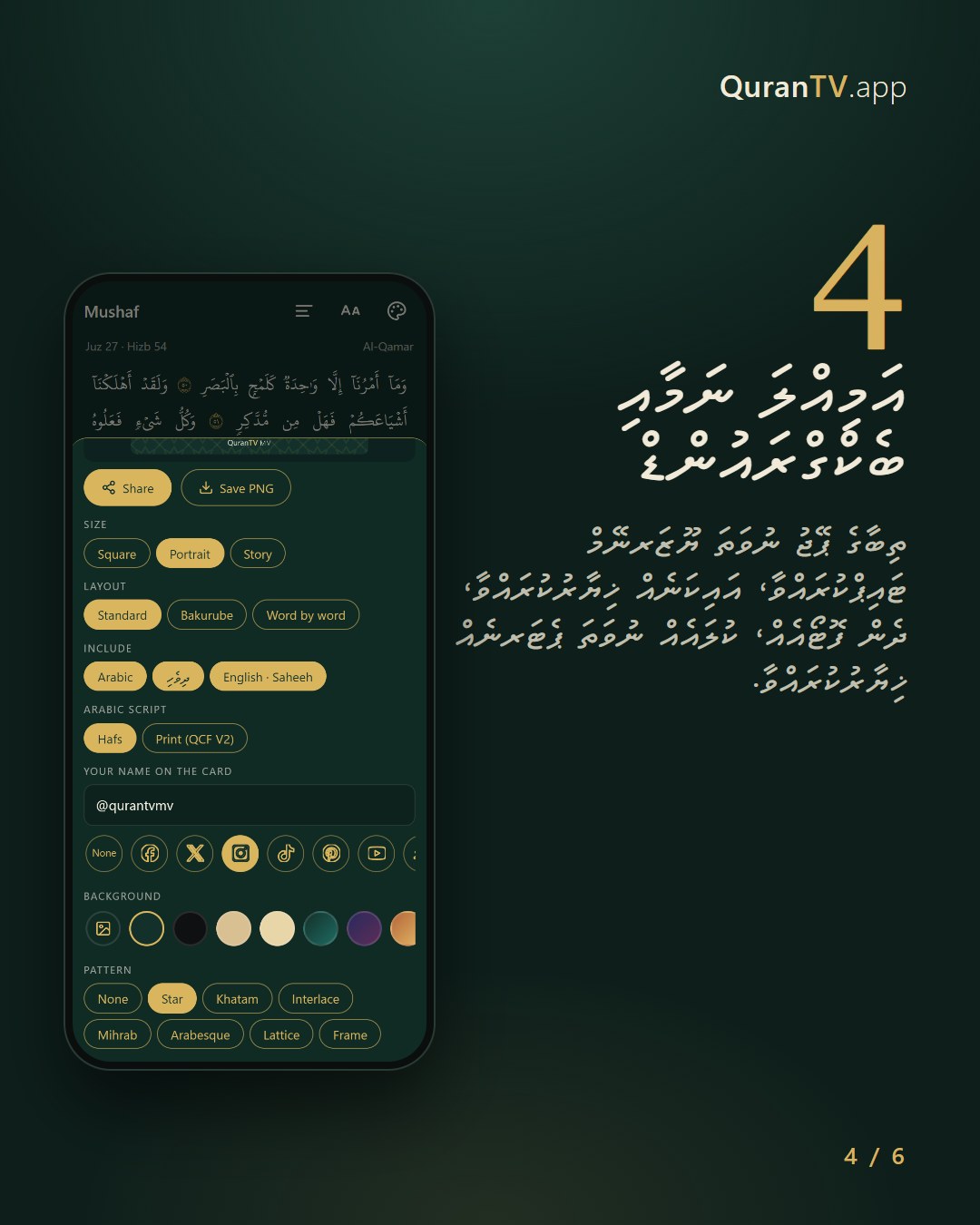
Add your name and a backgroundއަމިއްލަ ނަމާއި ބެކްގްރައުންޑް
Type your page name or username, pick an icon, then a photo, colour or pattern.ތިބާގެ ޕޭޖު ނުވަތަ ޔޫޒަރނޭމް ޓައިޕްކުރައްވާ، އައިކަނެއް ޚިޔާރުކުރައްވާ، ދެން ފޮޓޯއެއް، ކުލައެއް ނުވަތަ ޕެޓަރނެއް ޚިޔާރުކުރައްވާ.
- 5
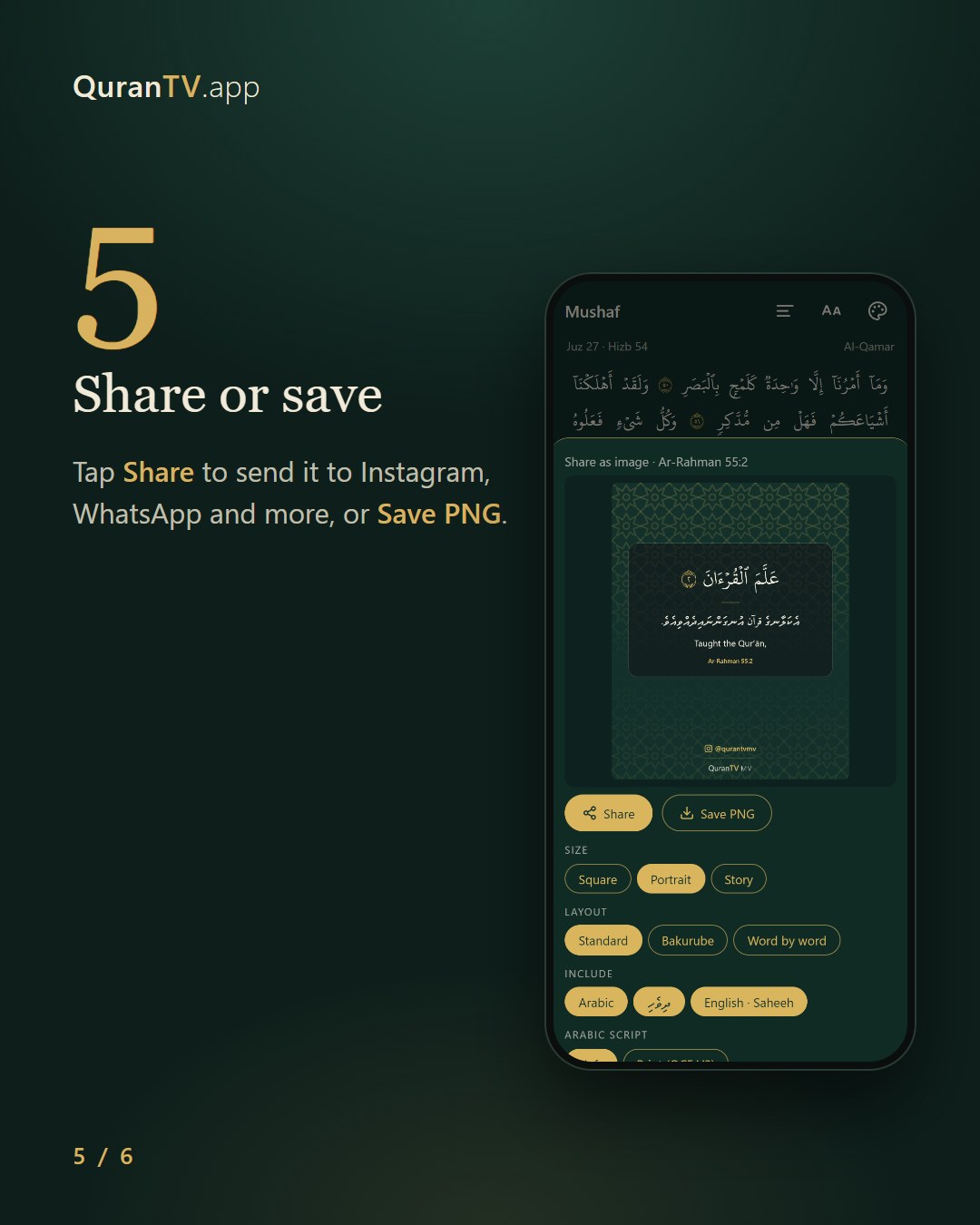
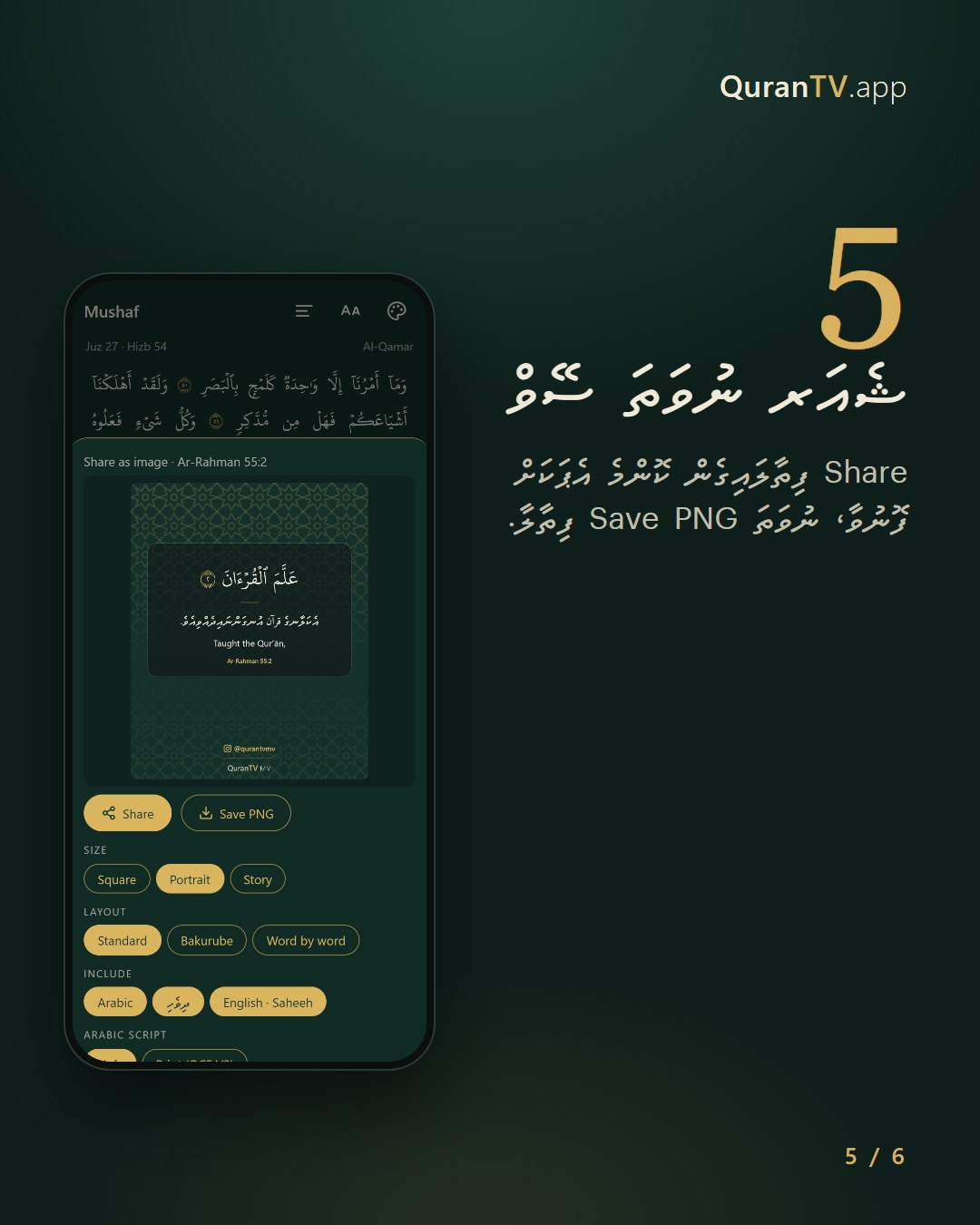
Share or saveޝެއަރ ނުވަތަ ސޭވް
Tap Share to send it to Instagram, WhatsApp and more, or Save PNG.Share ފިތާލައިގެން ކޮންމެ އެޕަކަށް ފޮނުވާ، ނުވަތަ Save PNG ފިތާލާ.
Posters work in any browser. Your name and icon are only kept on your phone.ޕޯސްޓަރު ހެދޭނެ ކޮންމެ ބްރައުޒާއެއްގަވެސް. ބޭނުންކުރާ ނަމާއި އައިކަން އެމީހެއްގެ ފޯންގަ ސޭވް ވެފަހުންނާނެ (ކޮންމެ ފަހަރަކު ލިޔާކަށް ނުޖެހޭނެ)
Make a videoވީޑިއޯއެއް ހެދުން
One verse or several, with the reciter’s voice. Up to 90 seconds.އާޔަތެއް ނުވަތަ އާޔަތްތަކެއް، ކިޔެވުމުގެ އަޑާއެކު. ގިނަވެގެން 90 ސިކުންތު.
- 1
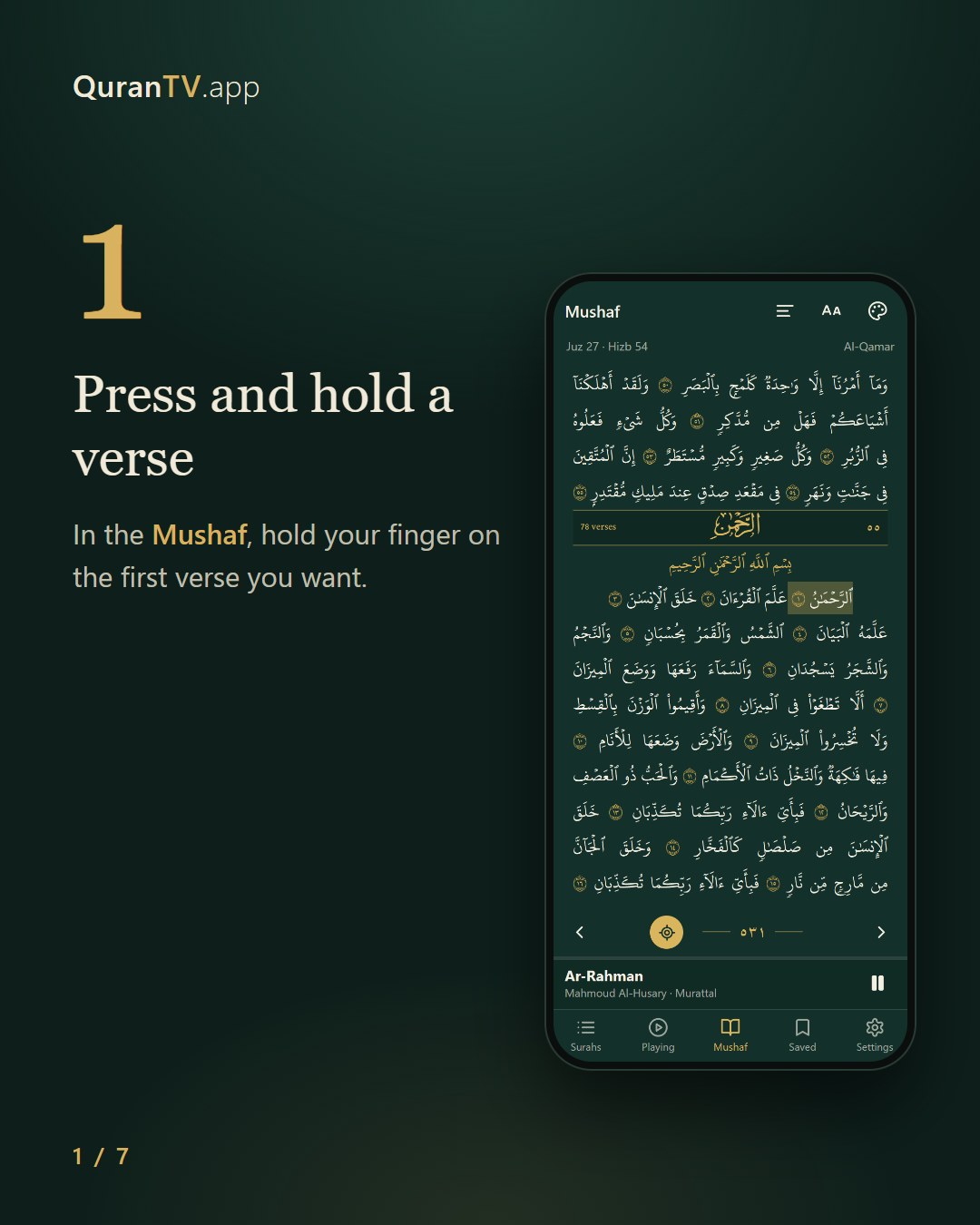
Press and hold a verseއާޔަތަކަށް ފިތާލާ (ލޯންގް ޕްރެސް)
In the Mushaf, hold your finger on the first verse you want.މުސްޙަފު ވިއުގަ ބޭނުންވާ އާޔަތަކަށް ލޯންގް-ޕްރެސް ކޮށްލާ
- 2
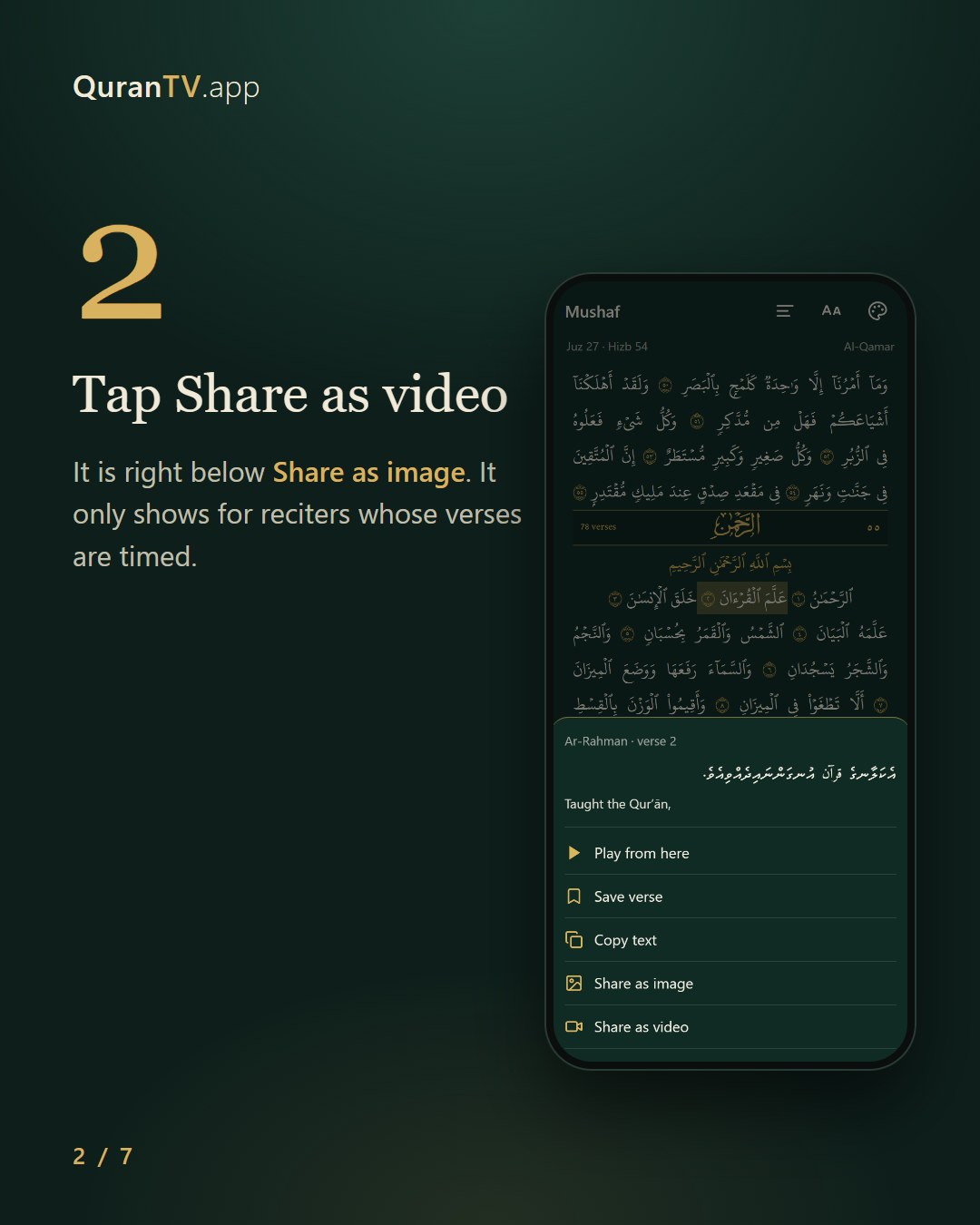
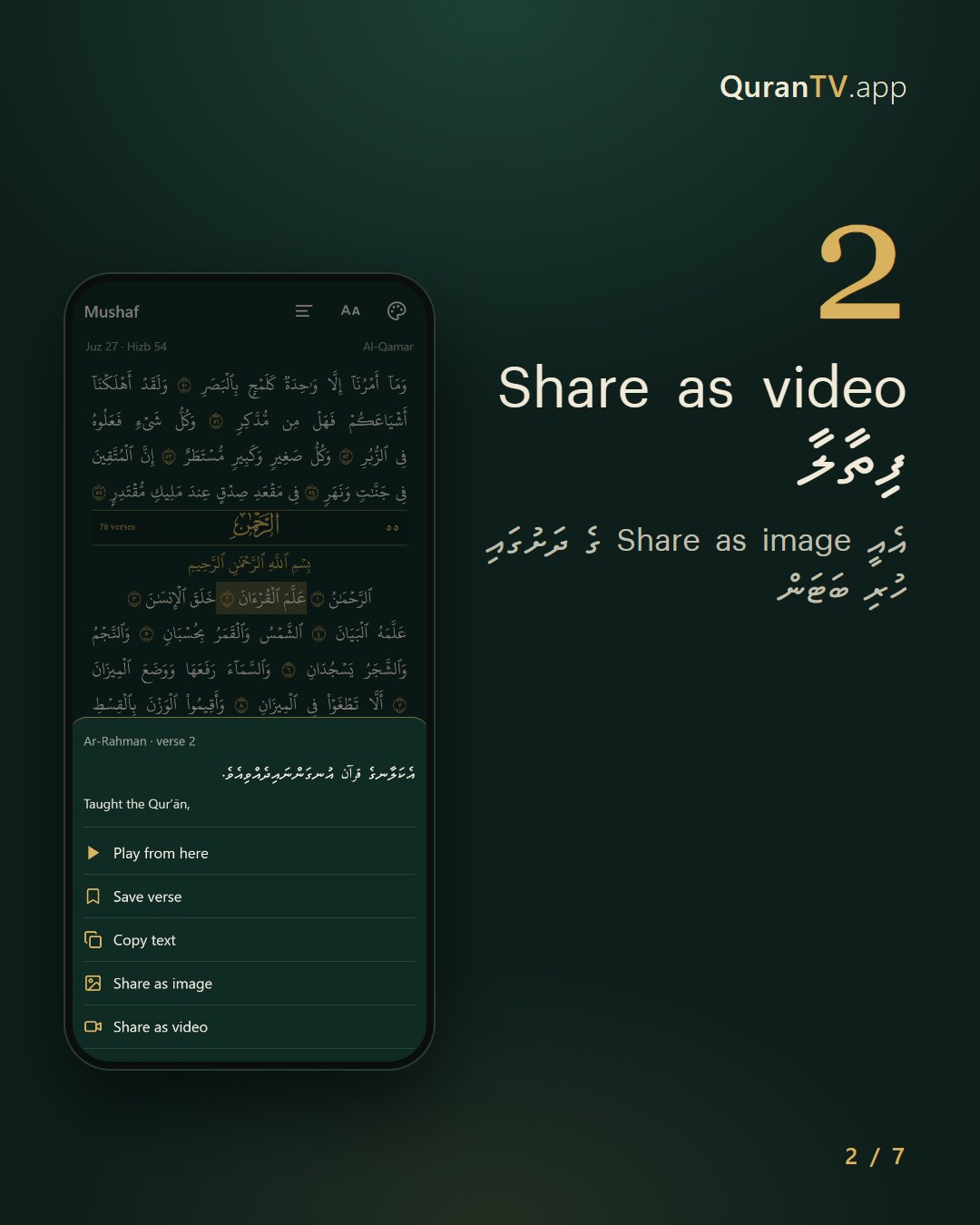
Tap Share as videoShare as video ފިތާލާ
It is right below Share as image. It only shows for reciters whose verses are timed.އެއީ Share as image ގެ ދަށުގައި ހުރި ބަޓަން
- 3
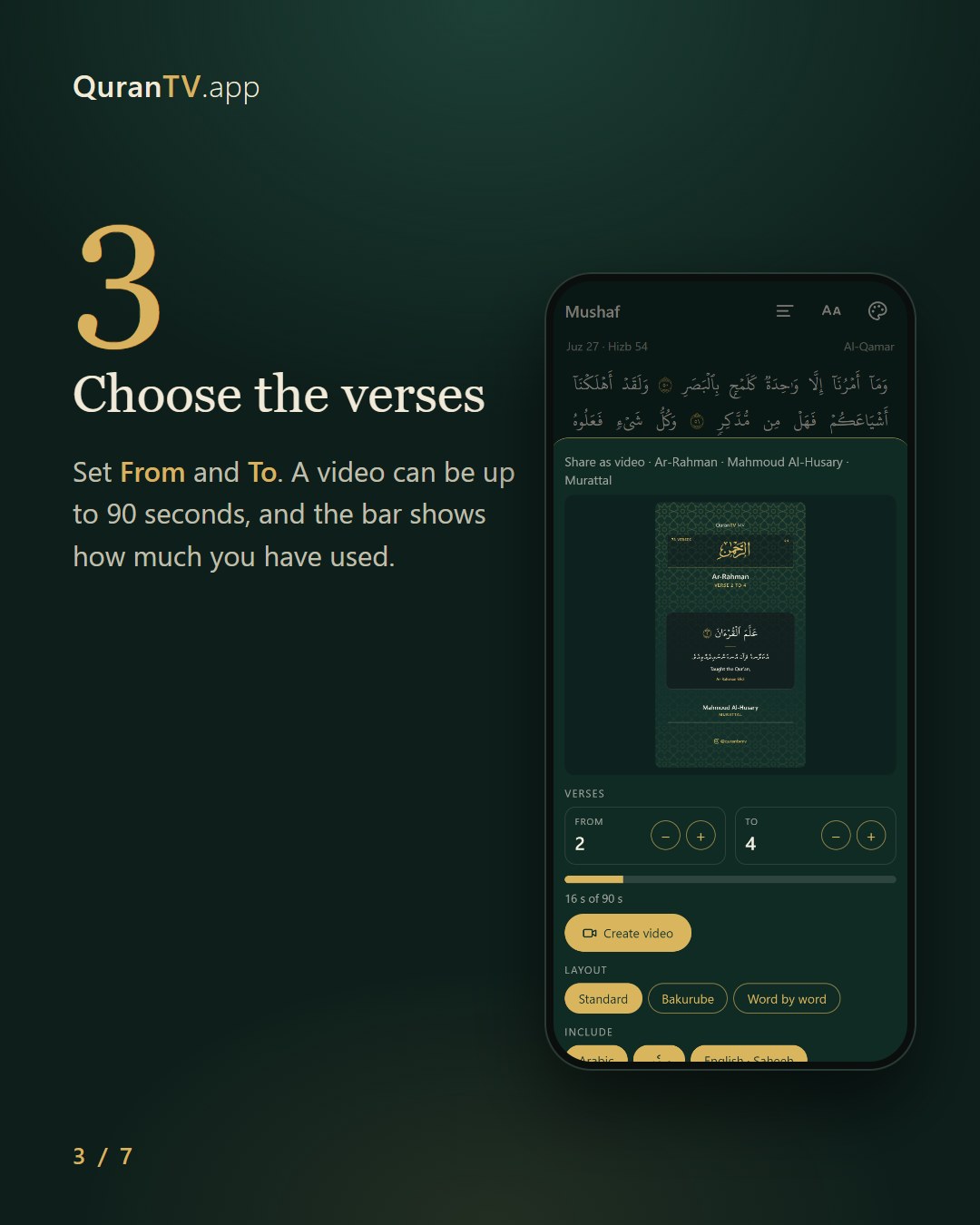
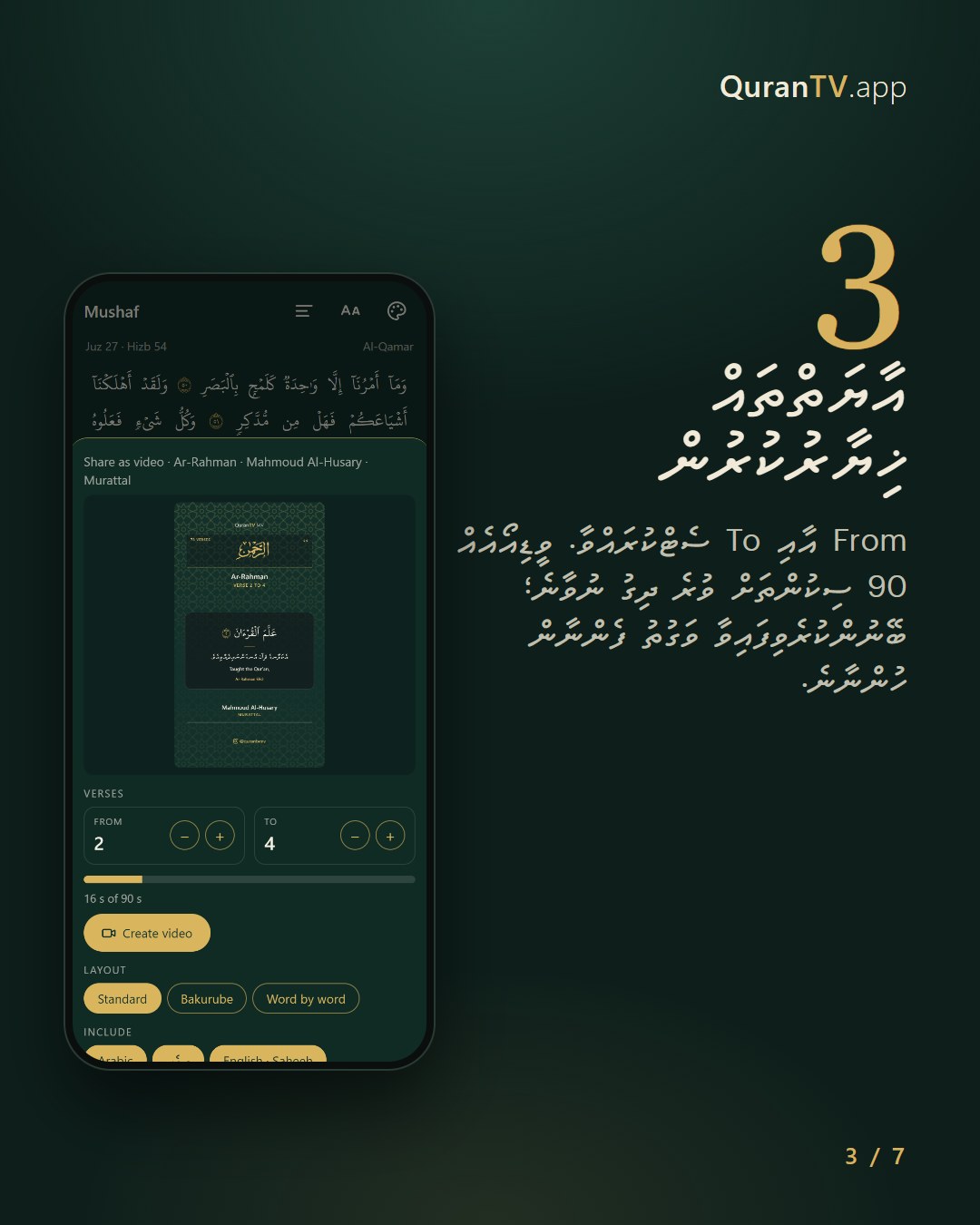
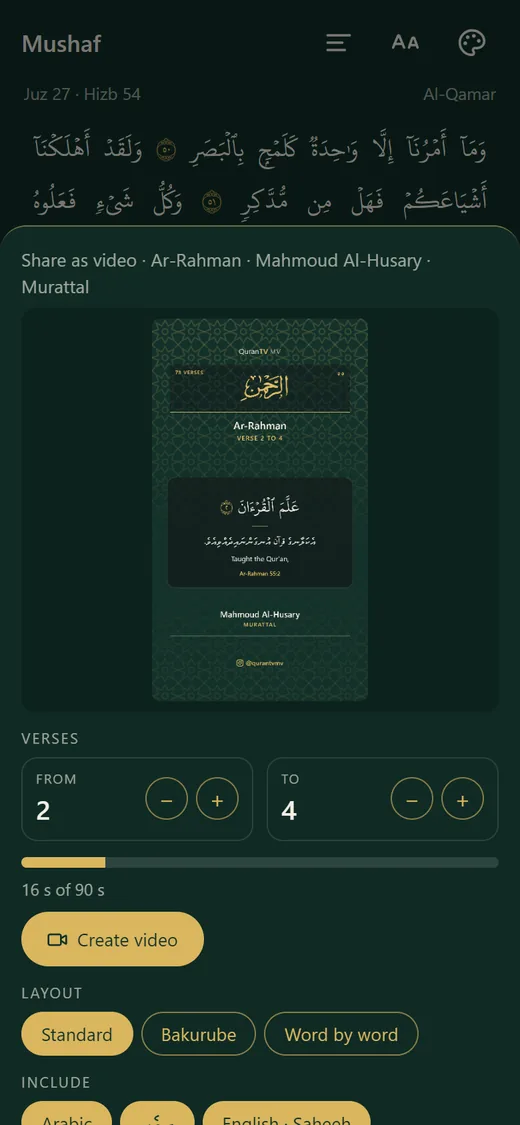
Choose the versesއާޔަތްތައް ޚިޔާރުކުރުން
Set From and To. A video can be up to 90 seconds, and the bar shows how much you have used.From އާއި To ސެޓްކުރައްވާ. ވީޑިއޯއެއް 90 ސިކުންތަށް ވުރެ ދިގު ނުވާނެ؛ ބޭނުންކުރެވިފައިވާ ވަގުތު ފެންނާން ހުންނާނެ.
- 4
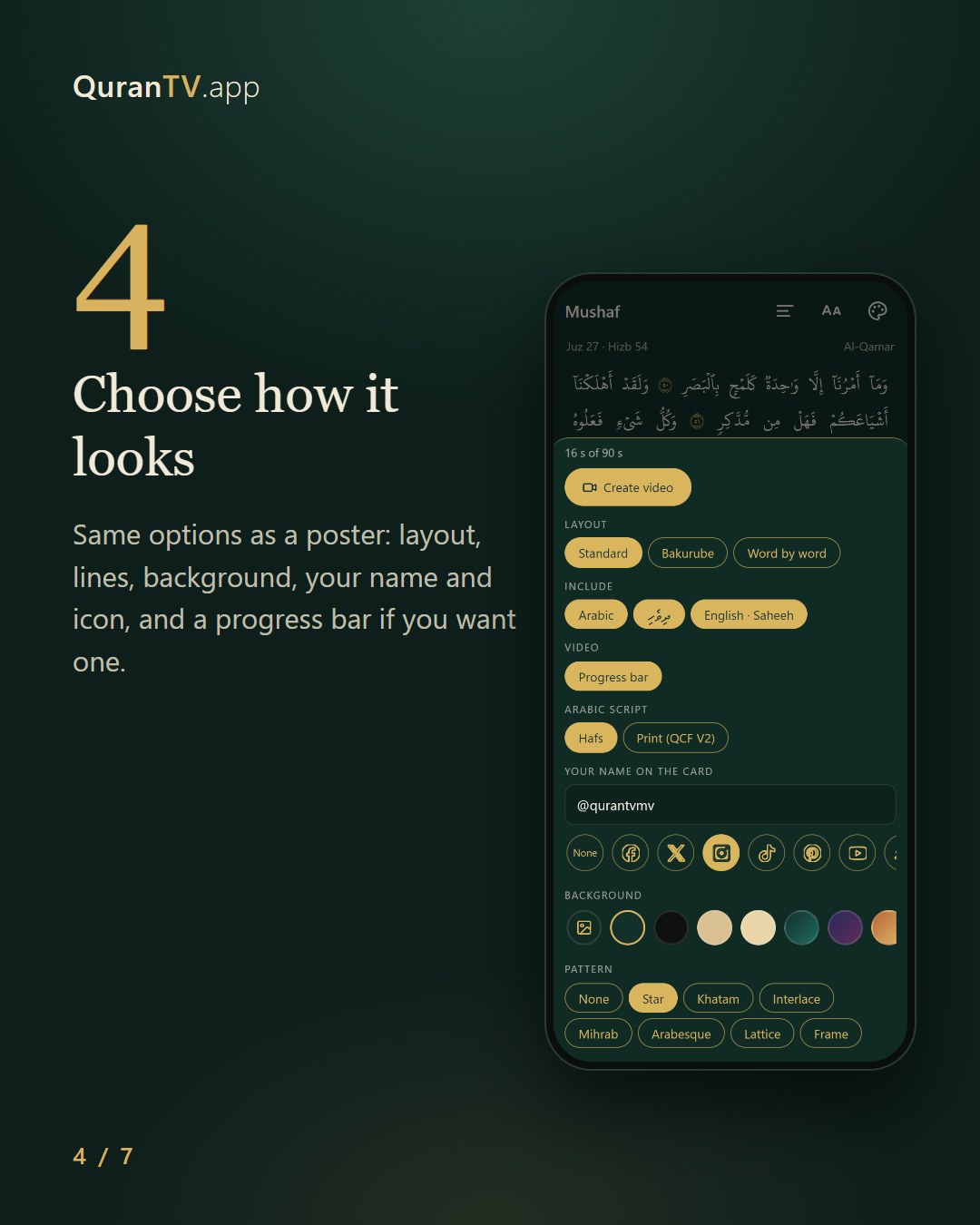
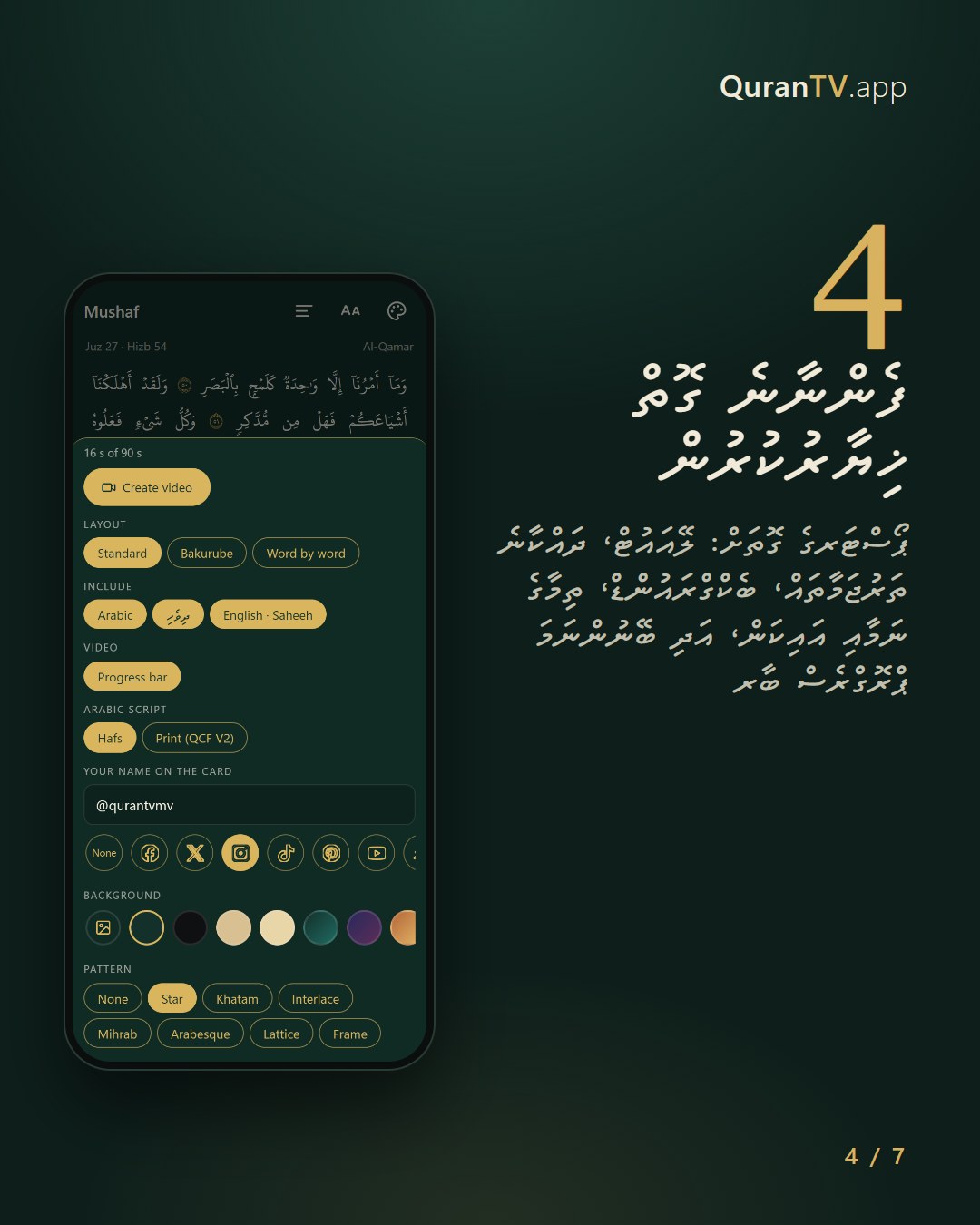
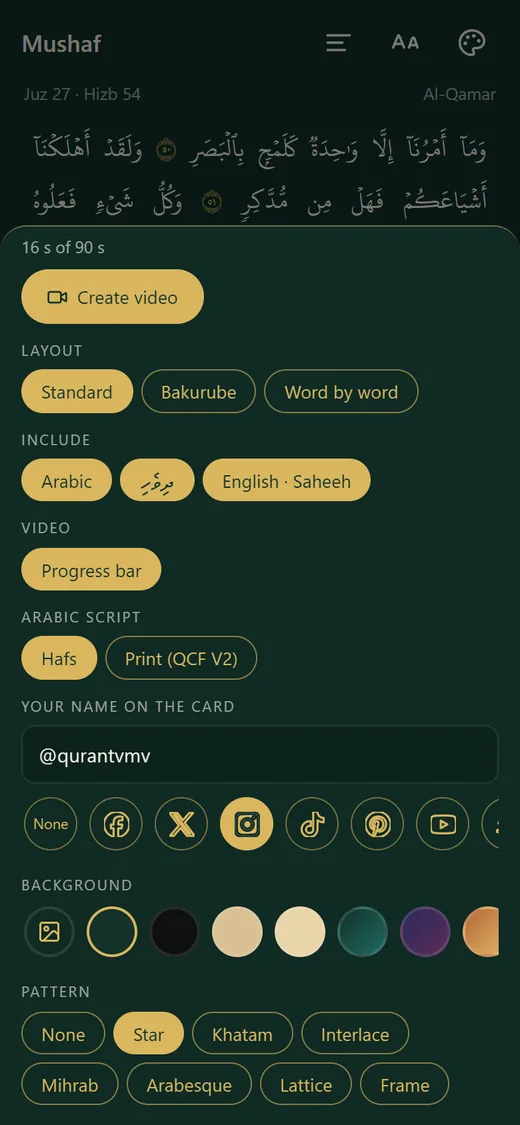
Choose how it looksފެންނާނެ ގޮތް ޚިޔާރުކުރުން
Same options as a poster: layout, lines, background, your name and icon, and a progress bar if you want one.ޕޯސްޓަރގެ ގޮތަށް: ލޭއައުޓް، ދައްކާނެ ތަރުޖަމާތައް، ބެކްގްރައުންޑް، ތިމާގެ ނަމާއި އައިކަން، އަދި ބޭނުންނަމަ ޕްރޮގްރެސް ބާރ
- 5
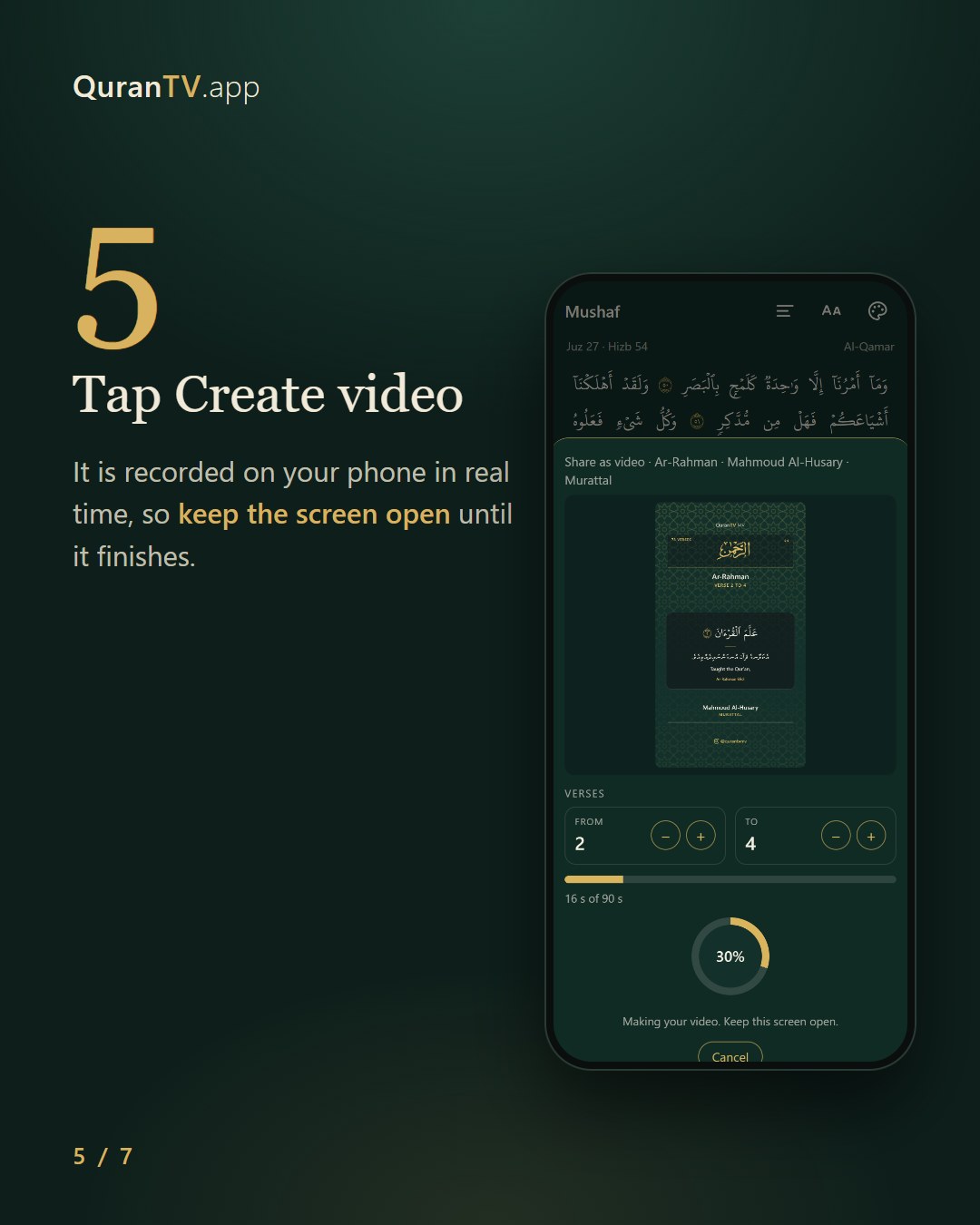
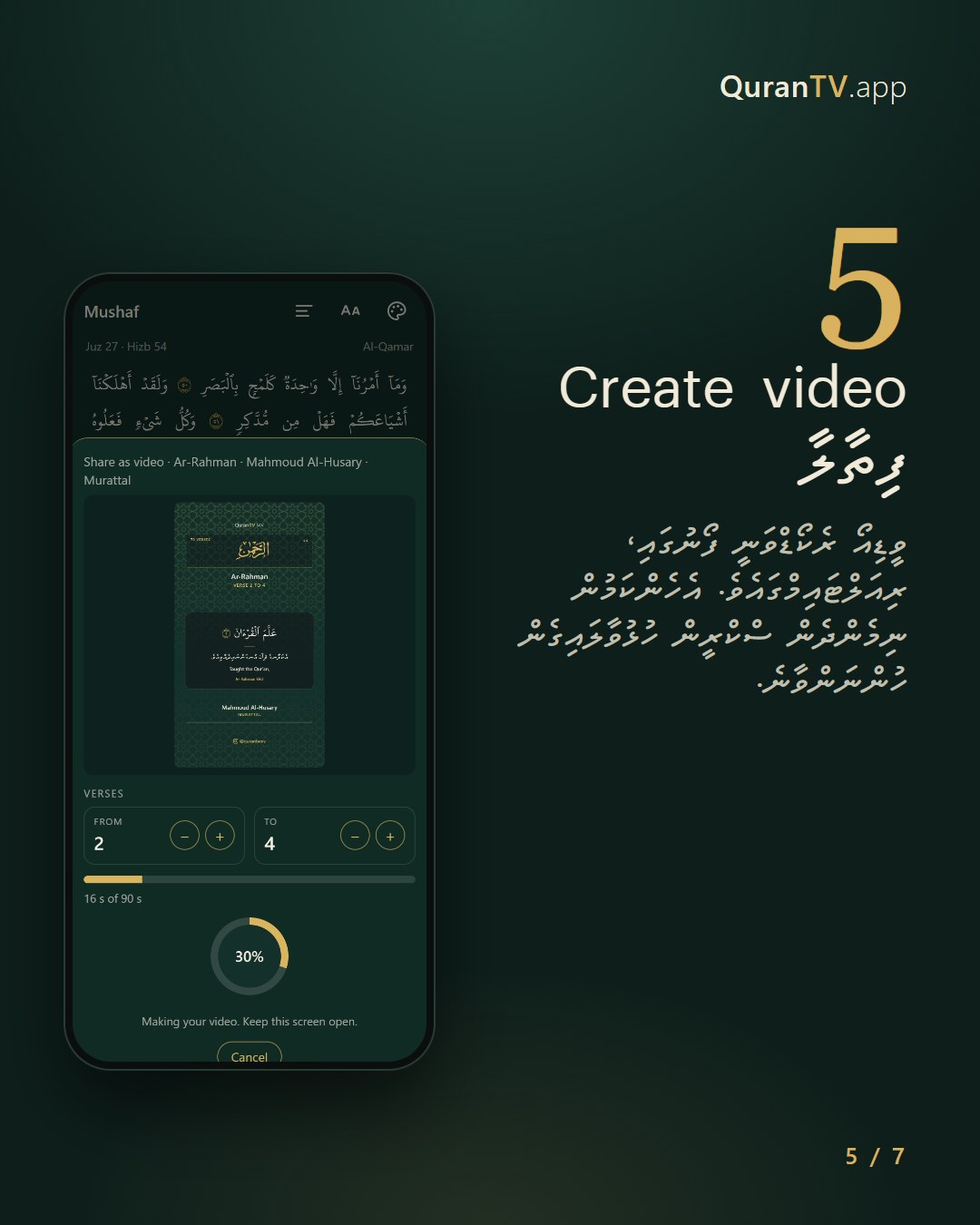
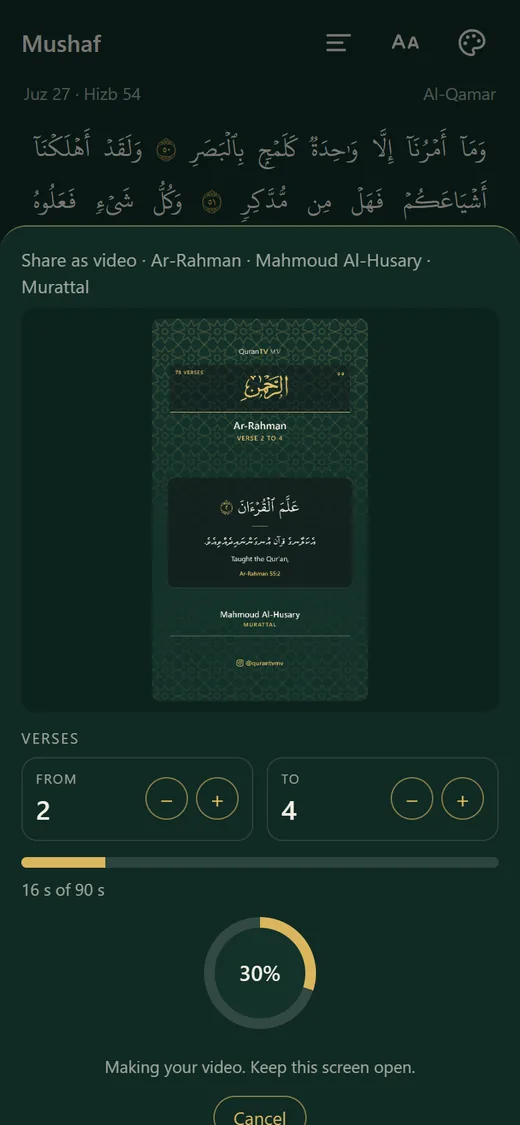
Tap Create videoCreate video ފިތާލާ
It is recorded on your phone in real time, so keep the screen open until it finishes.ވީޑިއޯ ރެކޯޑްވަނީ ފޯނުގައި، ރިއަލްޓައިމްގައެވެ. އެހެންކަމުން ނިމެންދެން ސްކްރީން ހުޅުވާލައިގެން ހުންނަންވާނެ.
- 6
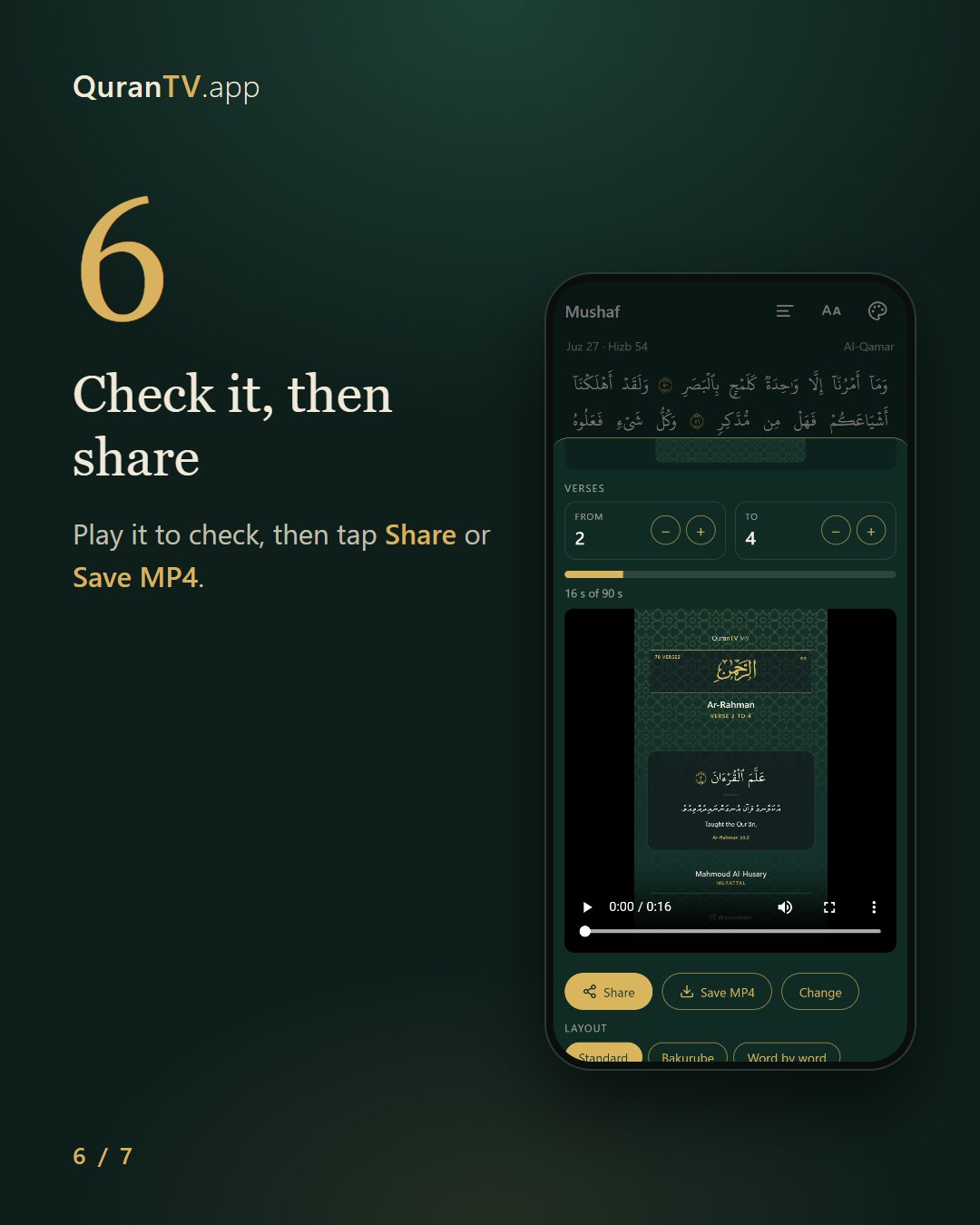
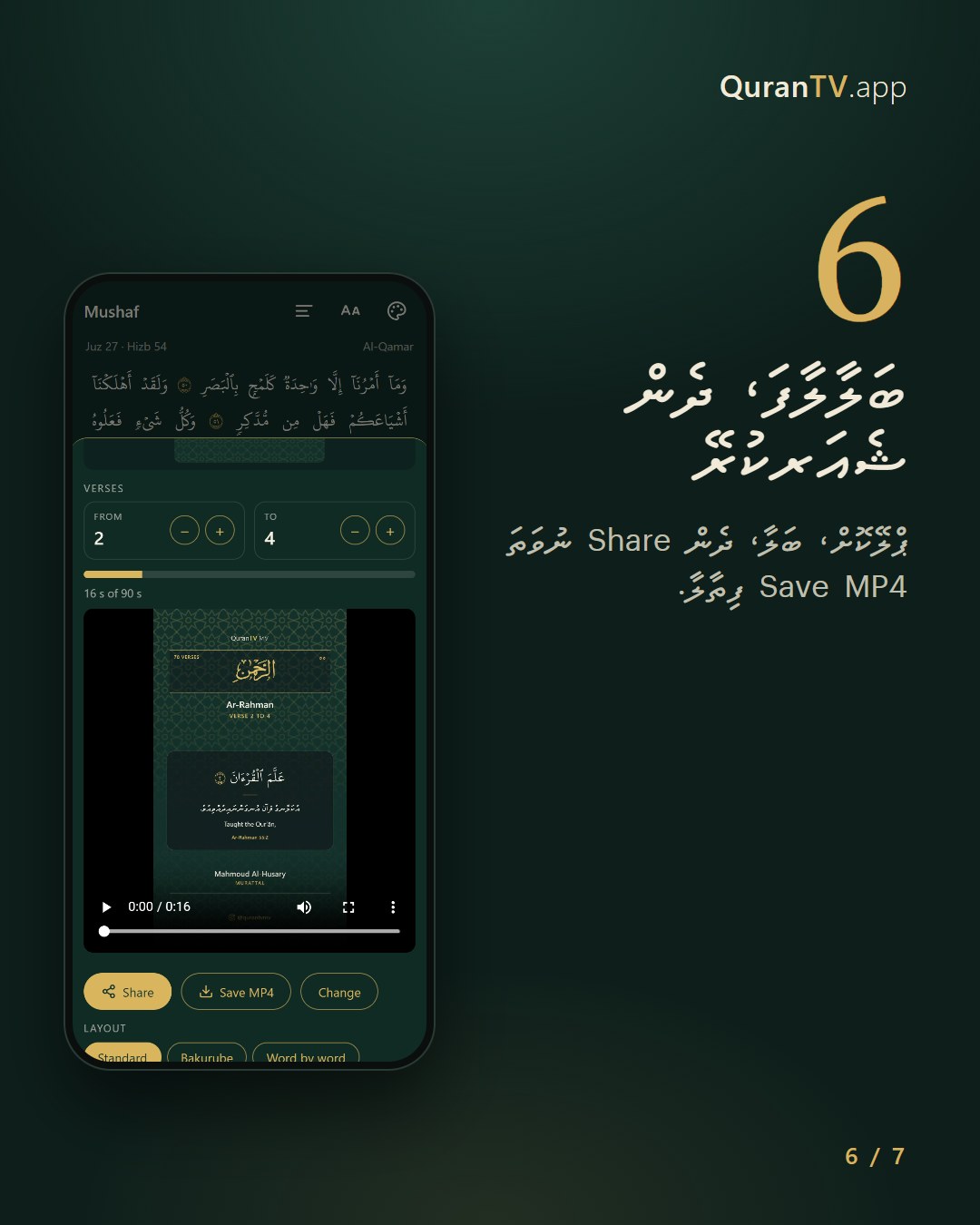
Check it, then shareބަލާލާފަ، ދެން ޝެއަރކުރޭ
Play it to check, then tap Share or Save MP4.ޕްލޭކޮށް، ބަލާ، ދެން Share ނުވަތަ Save MP4 ފިތާލާ.
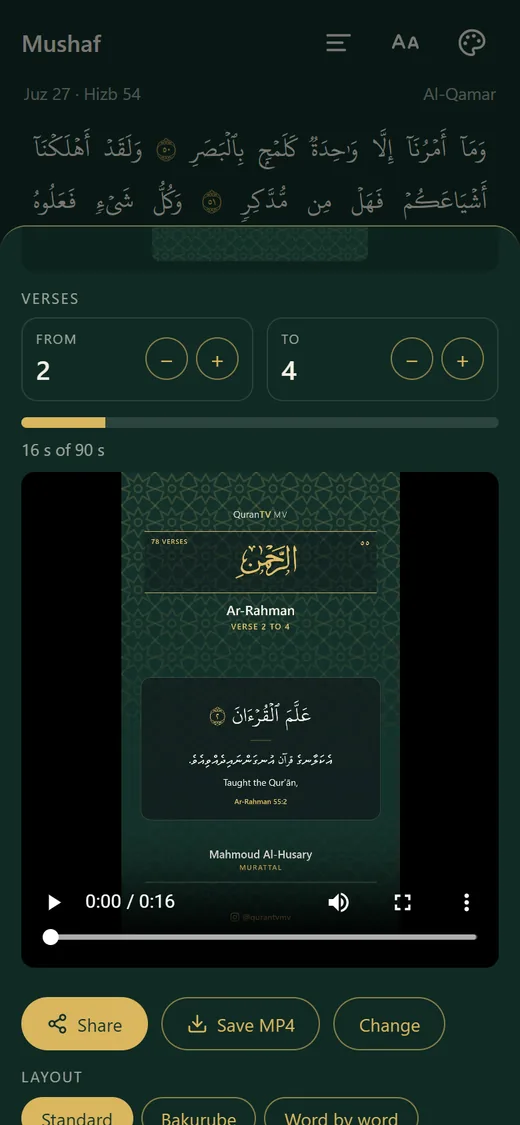
Videos work best in Chrome on Android. If a phone can only make WebM, Instagram and TikTok may not accept the file.އެންމެ ފުރިހަމައަށް މަސައްކަތް ކުރާނީ އެންޑްރޮއިޑް ފޯންތަކުގައިނަމަ ކްރޯމް ބްރައުޒާރގަ